WEA365 / WIND OPERATIONS
The job is only the beginning.
Everything stays connected.
WEA365 keeps jobs, turbines, teams, forms and approved records connected. From dispatch to the operator view, each role works within the same job context.
01 / DISPATCH IN THE TEST TENANT
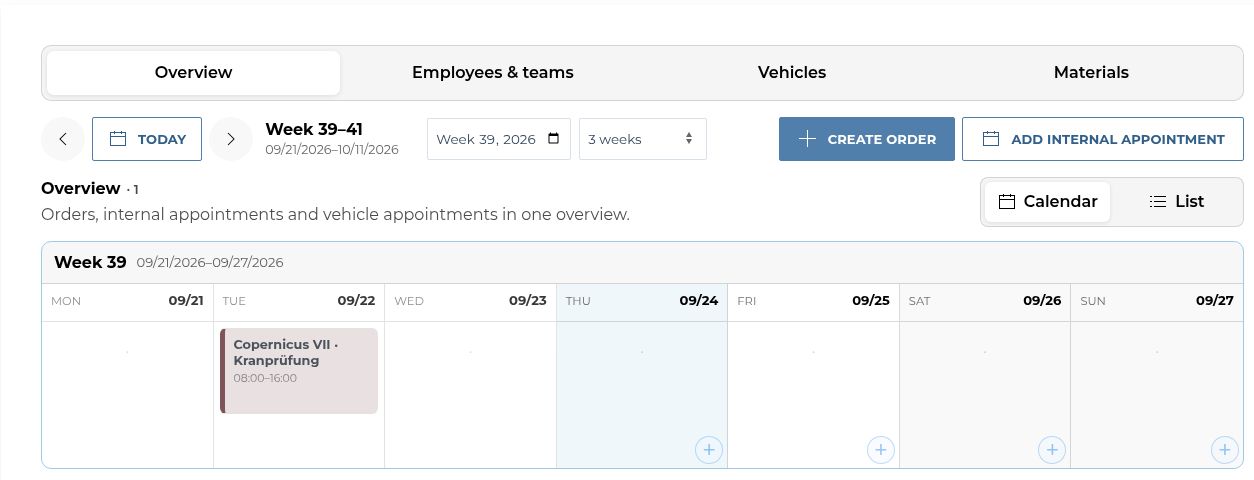
Dispatch is the starting point. Jobs, resources and dates share one view; the turbine stays connected throughout the work.
01 / PLAN
Jobs, crews and vehicles
02 / WORK
Fieldwork and forms
03 / PROVE
Review and records
02 / AT THE TURBINE
The turbine is the point of entry.
A QR code at the turbine opens its context. The access route then determines which information and tasks are available.
TURBINE → QR → AUTHORISED ACCESS
Technicians / personal account
Sign in on site and continue in your authorised workspace. Jobs, technical forms and reports stay linked to the turbine.
QR → PIN / READ ONLY
Operators / separate PIN
Read approved turbine information and documents. The PIN is separate from the QR code; operator access does not grant staff permissions.
The QR code itself is not a login. Permissions are checked through the respective access route.
03 / ASSETS & MAINTENANCE
See what is due.
Know what came before.
Planning the next service takes more than a date. Turbine, maintenance type, open orders and documented history belong in the same view.
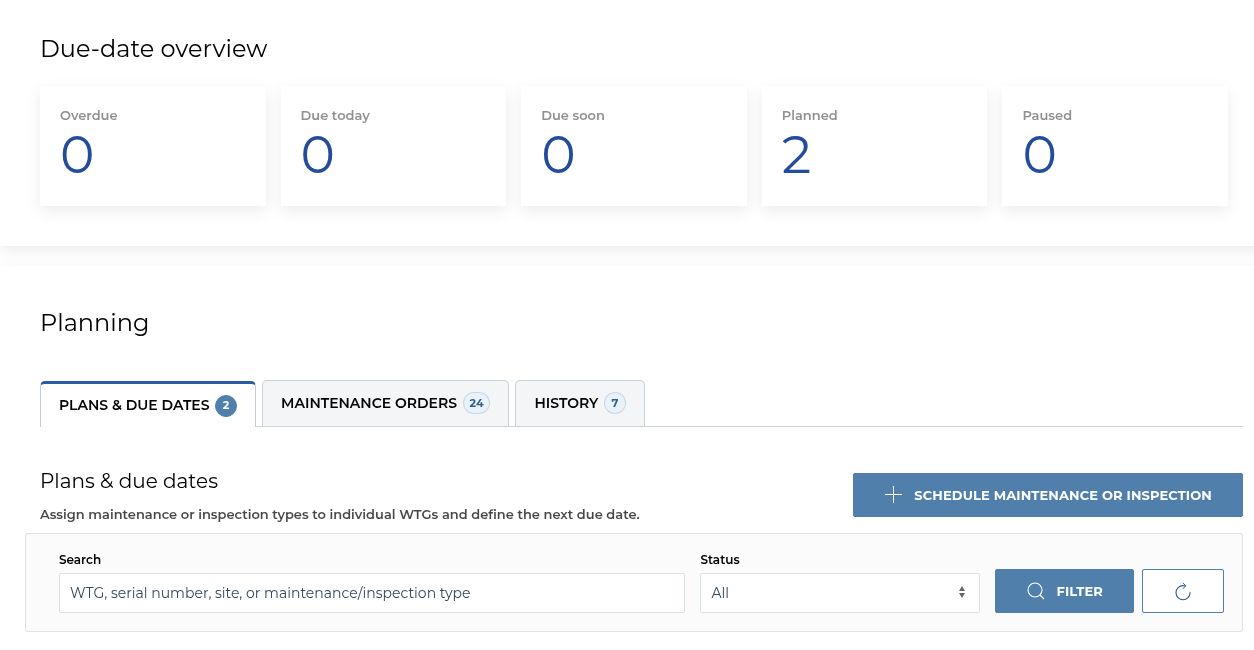
Real test tenant screens with sample data. Visible areas depend on role and enabled scope.
04 / TECHNICAL FORMS
A checklist becomes a controlled process.
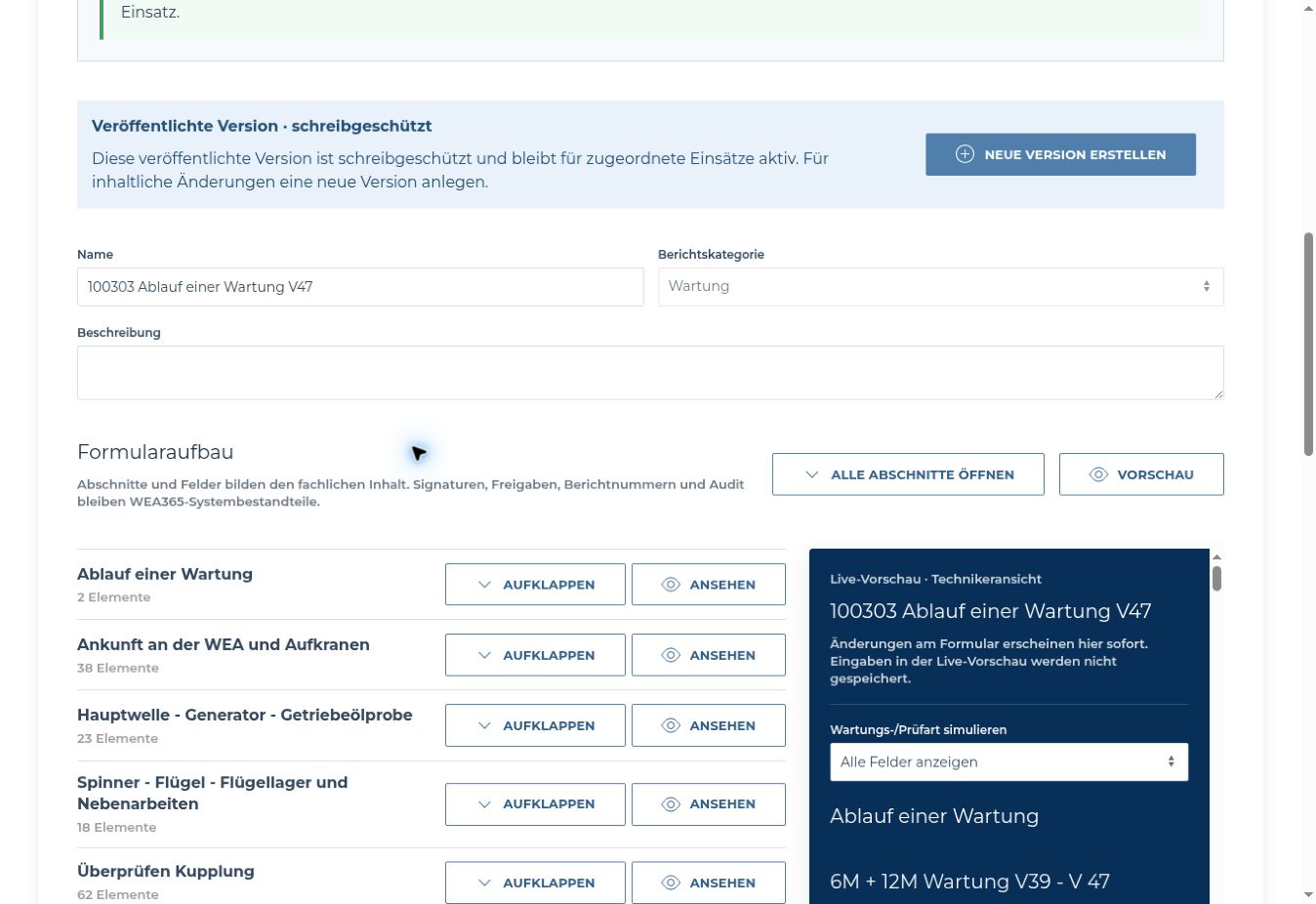
Build technical sections and inspection fields, publish a version and assign it to matching maintenance or inspection work. A live preview shows the technician’s view as the form takes shape.
Real test tenant view. The example maintenance form is in German; preview entries are never saved. Open form view ↗
01 / TEMPLATE
Version instead of overwrite.
Published forms stay read-only. Changes create a new version.
02 / JOB
The relevant inspection.
Usage rules determine when the form is available in a job.
03 / RECORD
More than a tick box.
Signatures, report numbers, review and audit belong to the WEA365 workflow.
ONE JOB. SEVERAL RESPONSIBILITIES.
One job.
Several perspectives.
Dispatch, field teams and reviewers each see their own task. Job and turbine remain the common foundation.
Dispatch
Bring the job, asset, crew, vehicle and time together.
On site
Technicians complete work reports and relevant forms in the job context.
Approval
Submitted reports are reviewed, returned if necessary and approved with the required signatures.
Record
Approved documents remain versioned and accessible in the authorised asset context.
BUILT FOR REAL OPERATIONS
Built for work across the control room and the field.
WEA365 connects resource planning, maintenance, technical forms and traceable records in the authorised turbine context.
Resources
Staff, crews, vehicles and dates across multiple dispatch views.
Assets
Turbines, operators, maintenance types, due dates and associated jobs.
Evidence
Work reports, forms, signatures, review and versioned documents.
Also available in the company portal: operator access, leave, working time and work instructions. Your scope is agreed individually.
ACCESS FOR COMPANIES
Start with the work you need to run.
Three possible focus areas for a conversation. We agree scope, term and pricing for your organisation.
01 / DISPATCH
For teams who plan.
Jobs, staff, crews, vehicles and operational scheduling.
02 / OPERATIONS
For asset responsibility.
Dispatch with assets, maintenance, documents and authorised operator access.
03 / ASSURANCE
For controlled approval.
Operations with work reports, forms, signatures, review and a record archive.
LET US TALK ABOUT YOUR OPERATIONS
Show us how you work.
Tell us your company and business email. We will discuss which teams, turbines and records WEA365 should connect for you.
By submitting, you ask us to contact you about company access. We use these details to handle your enquiry. For privacy questions, contact